












































2025-01-23, 7 min read
How I Built a Personal Blog with LLMs (Part 1)
Join me on my journey from pharmacist to web developer, using AI as my buddy.

Introduction
Honestly, my tech skills peaked at Python code and dabbling in AI. Web development? JavaScript? HTML? CSS? Those were like ancient hieroglyphs to me – utterly foreign. But, you know what? Curiosity got the better of me. I wanted my own little corner of the internet, a website to call my own. And I had a hunch: maybe, just maybe, AI could be my digital construction crew. So, I took the plunge.
In this series, I'm your average blank slate, sharing my journey from "How to build a website?" to (hopefully) a functional website. I'll be documenting everything – how I pester Large Language Models (LLMs) for web dev wisdom, the prompts I use, the tools I stumble upon, and all the glorious (and perhaps embarrassing) moments in between. The goal for Part 1? Build a basic website that can house this very blog post. Let's get our hands virtually dirty!
Research: Asking the Oracle (aka Perplexity)
Since I was starting from absolute zero, I went straight to the digital oracle, Perplexity. Think of Perplexity as a search engine on AI steroids. It combines the power of LLMs with up-to-date search capabilities, breaking free from the limitations of internal knowledge. This means it can provide the latest information and best practices.
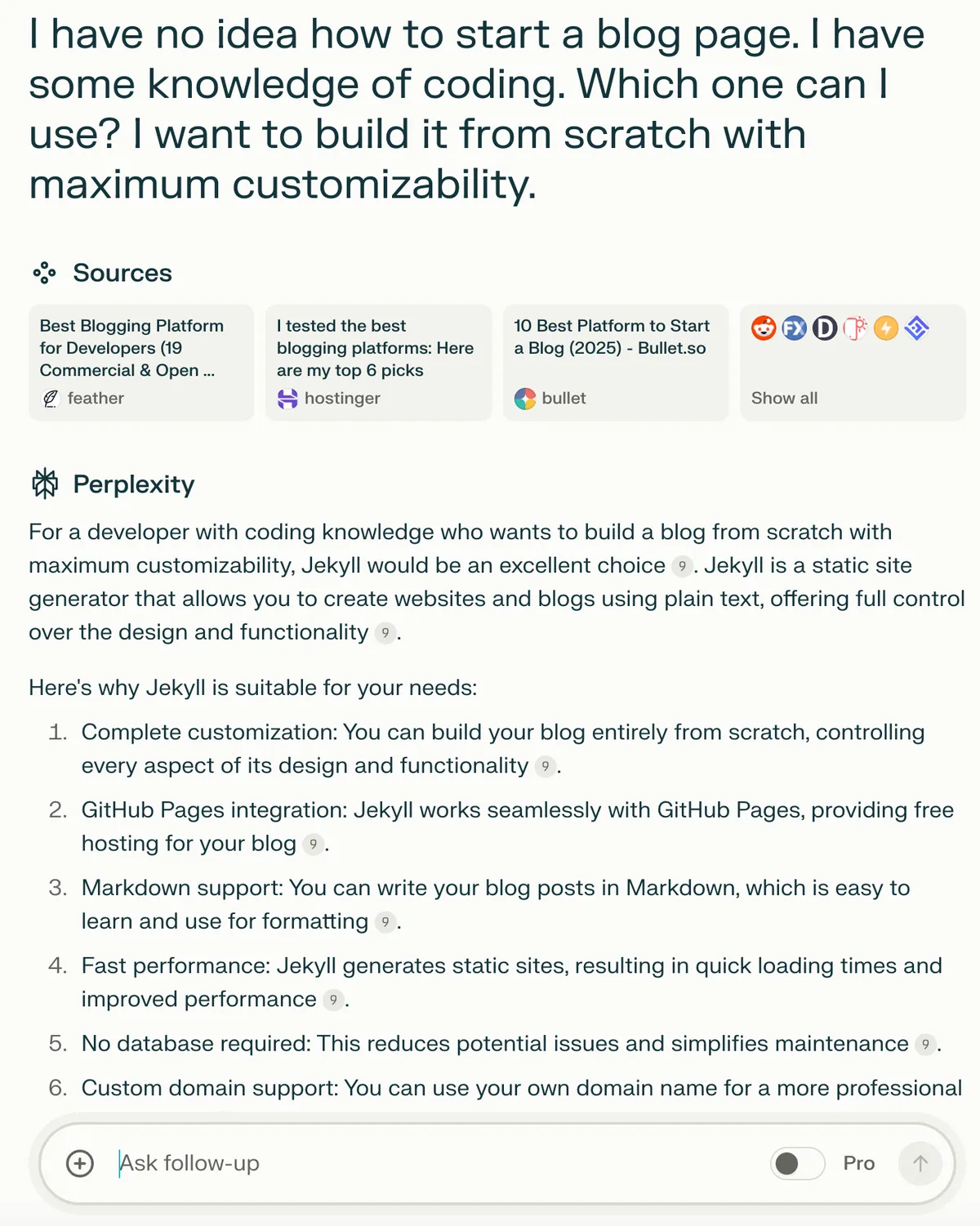
Perplexity AI interface - My first step into web development
Perplexity suggested I use Jekyll, a static site generator. A quick Google search led me to GitHub Pages, which offers a straightforward way to set up a Jekyll site. I followed the instructions, and BAM – I had my first-ever website! It was basic, sure, but it was mine.
Well, the funny thing is, my excitement about having my first website washed 'Jekyll' away-I ended up not using Jekyll after all.

My first GitHub Pages website - Simple but exciting!
Building the Website's Skeleton: Enter Cursor, My AI Coding Buddy
Now that I had a webpage, it was time to bring in the big guns. I imported my repository into Cursor, an AI-first code editor. The beauty of Cursor is that it lets you chat with an AI about your entire codebase, giving it the context it needs to be truly helpful. As a wise person once said:
"Context is key for LLMs."
By feeding my entire repo to the AI, I ensured it could give me the most relevant and accurate answers. And the best part? I could just chat with the LLM, and it would handle all the coding – I just had to hit "Accept." How cool is that?
From my understanding, Cursor defaults to the Claude Sonnet 3.5 model, which, in my humble opinion, is one of the best coding models out there right now.
I asked Cursor to generate a complete website codebase from scratch, and it delivered spectacularly. Not only did it create the entire file structure, but it also generated all the necessary files like index.html, style.css, and more. Here's a snippet of what the conversation looked like:
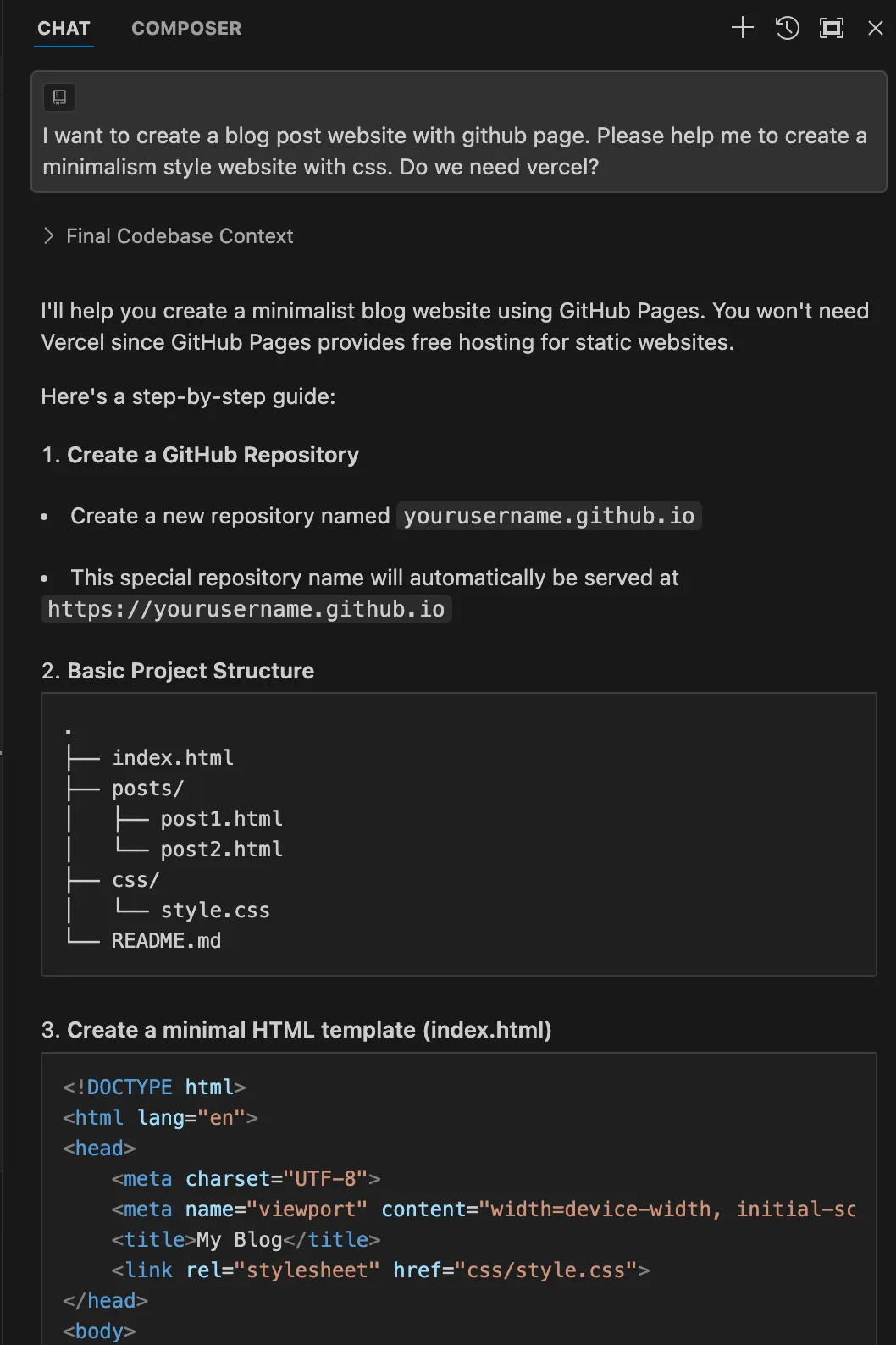
Chatting with Cursor AI to generate the website structure
Each file came pre-populated with clean, modern code following web development best practices. Here's what the initial website looked like:

The first version of my website with basic styling
Fine-Tuning the Elements: Inspiration from Squarespace
Next, I went on a little field trip to find some design inspiration. I browsed through website templates on Squarespace and fell in love with their two-column layout for blog posts. I took a screenshot of the template and fed it to Cursor, asking it to replicate the layout.
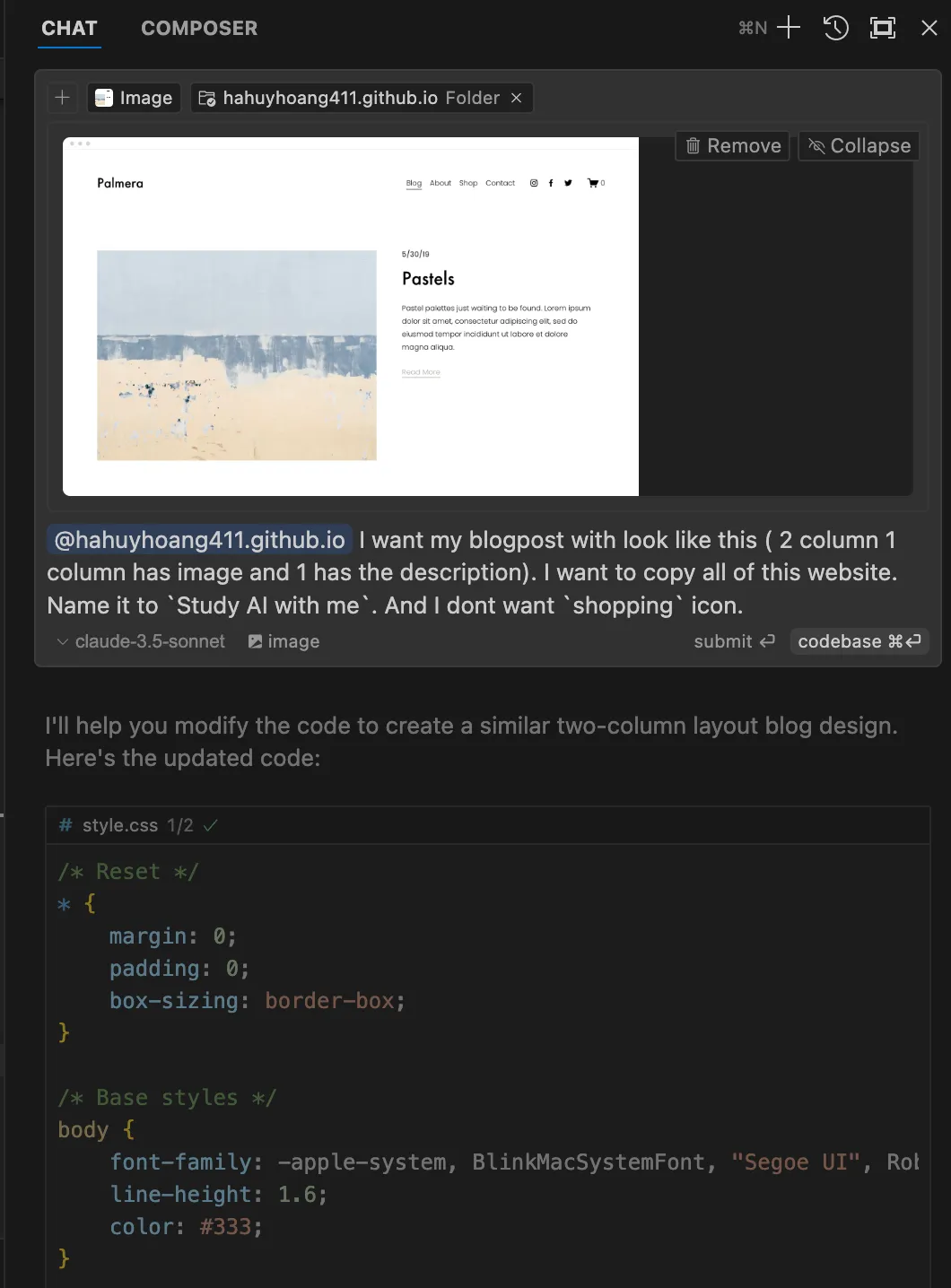
Squarespace template that inspired the two-column layout
I simply sat back, sipped my tea, and watched the magic happen. In less than 30 seconds, AI generated the code of the template:
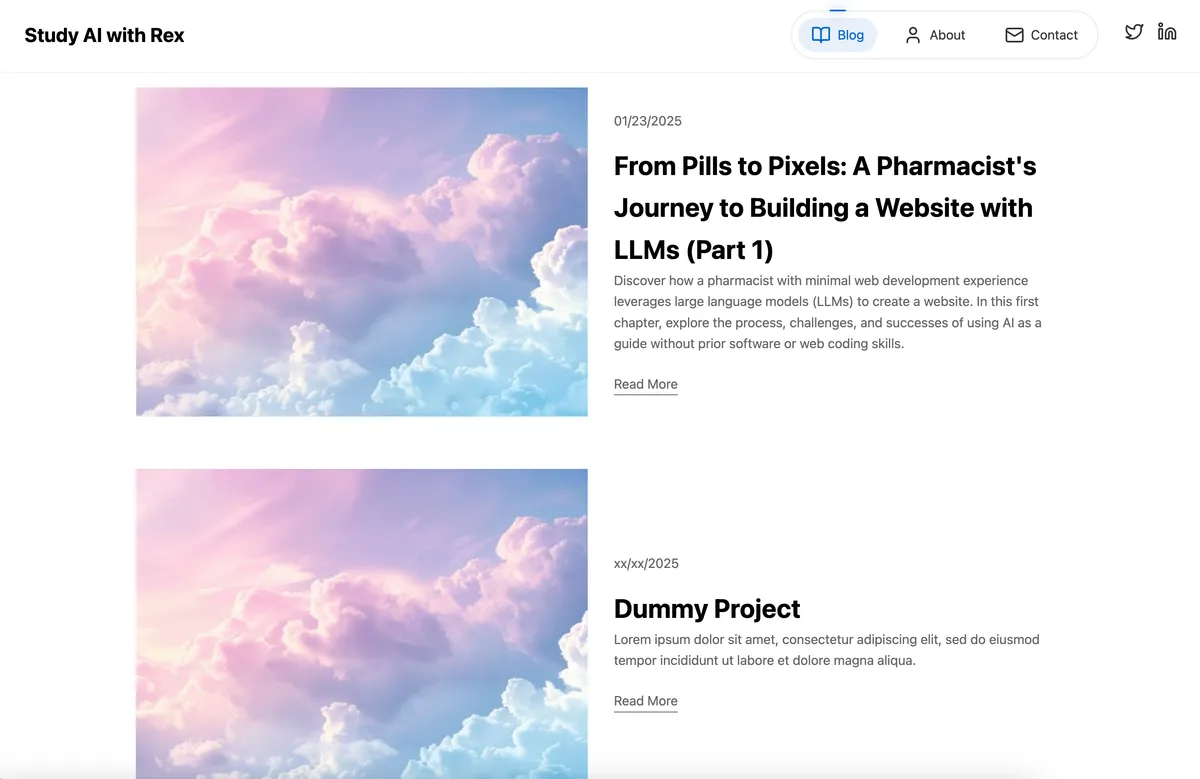
Squarespace template that inspired the two-column layout
The Final Touch: Adding Images to Spice Things Up
Alright, let's be real, I can't draw to save my life. So, naturally, I turned to AI again to create some visuals for me. I used a model called Flux, which is currently considered one of the best image generation models out there, and guess what? It's completely free! I accessed the model through the Flux website, which generously gives you six free image generations per day.
Here's the prompt I used. I'm not exactly a prompt engineer (yet!), so it might be a bit clunky.
Create a image with pastel color palette with a background a green background cloud sky. The main character is a chibi pharmacist in green dinosaur costume is exploring a computer with tools. In the computer screen is displaying medical.
But after a few tries, I got this result:
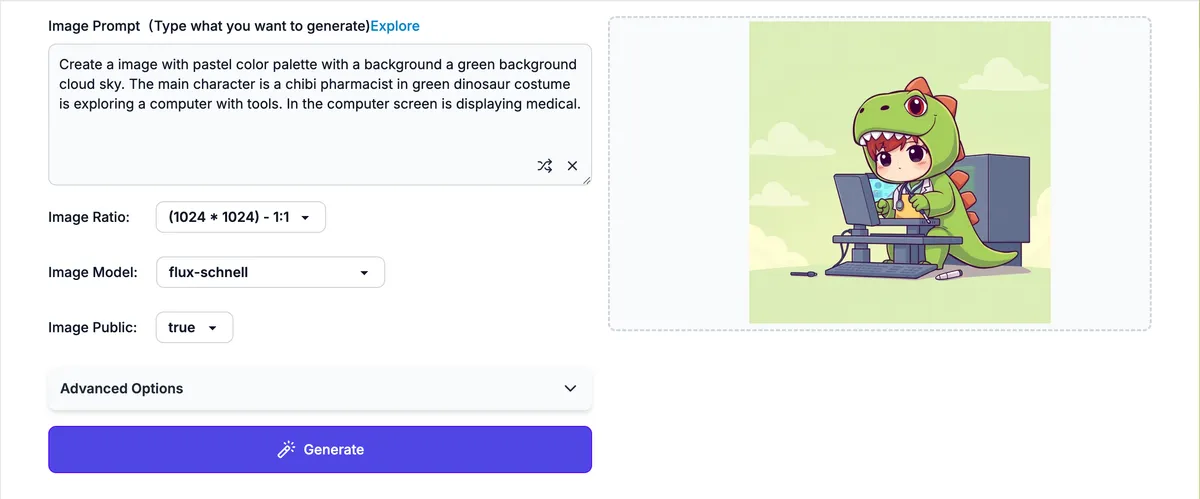
Image generation is so good these days!
As for the background image in the post, well, I tried generating one with Flux, but let's just say the results weren't exactly wallpaper-worthy. So, I took the easy route and grabbed a beautiful image from Unsplash, a website I often use for stunning, free-to-use photos. They have got a ton of beautiful picture that can be used as wallpaper or background.
And here is my final result:
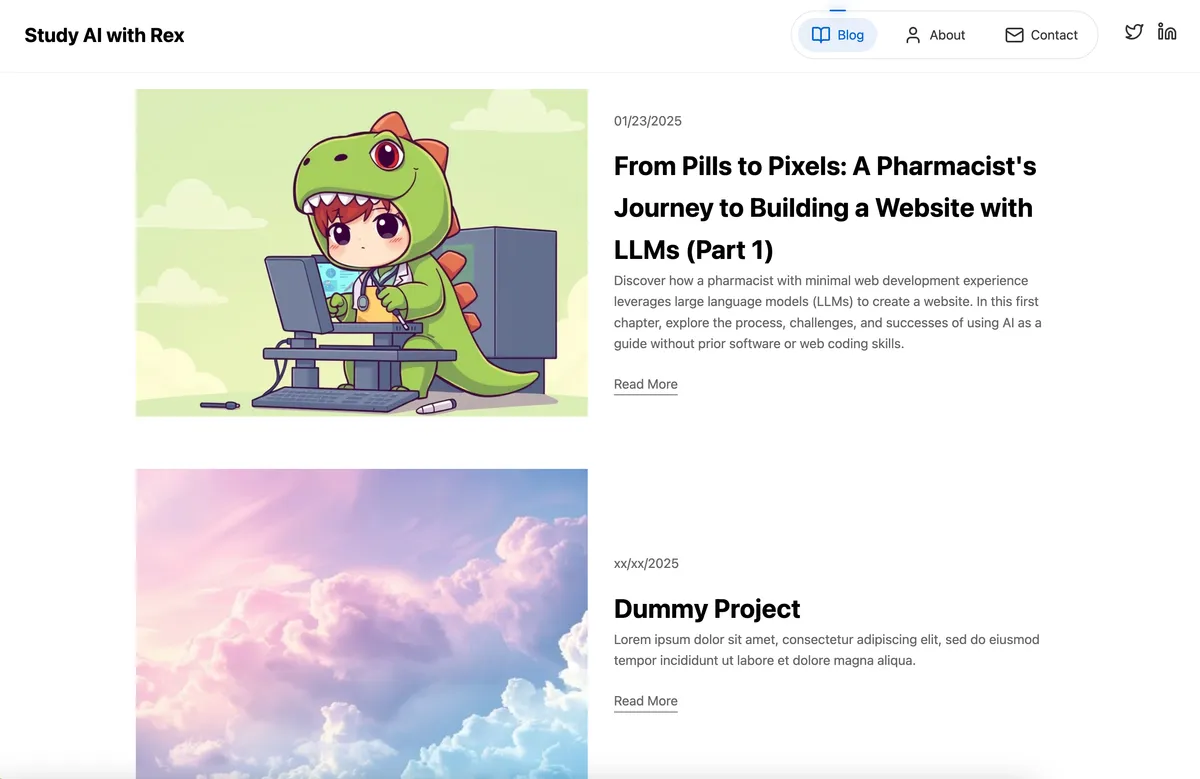
The final result after 30 minutes of AI-assisted development
What's Next?
Well, today I achieved my initial goal – creating a basic platform to host my blog posts. Join me in Part 2, where I'll continue to refine the UI and make it even more visually appealing. We'll dive deeper into design, explore more AI-powered tools, and maybe even learn a thing or two about actual web development (gasp!). Stay tuned!